Robotics and artificial intelligence are no longer confined to high-tech labs. With the rise of DIY kits, open-source software, and free online courses, college students can now build AI-powered robots from home—even on a budget. This guide outlines the tools, steps, and resources needed to start your own robotics journey.
🧠 Why AI Robotics Is Now Accessible
- Low-cost kits like Arduino, Raspberry Pi, and Pupper make robotics affordable.
- Open-source platforms such as TensorFlow, ROS, and Python libraries enable AI integration.
- Online tutorials and courses provide step-by-step guidance for beginners.
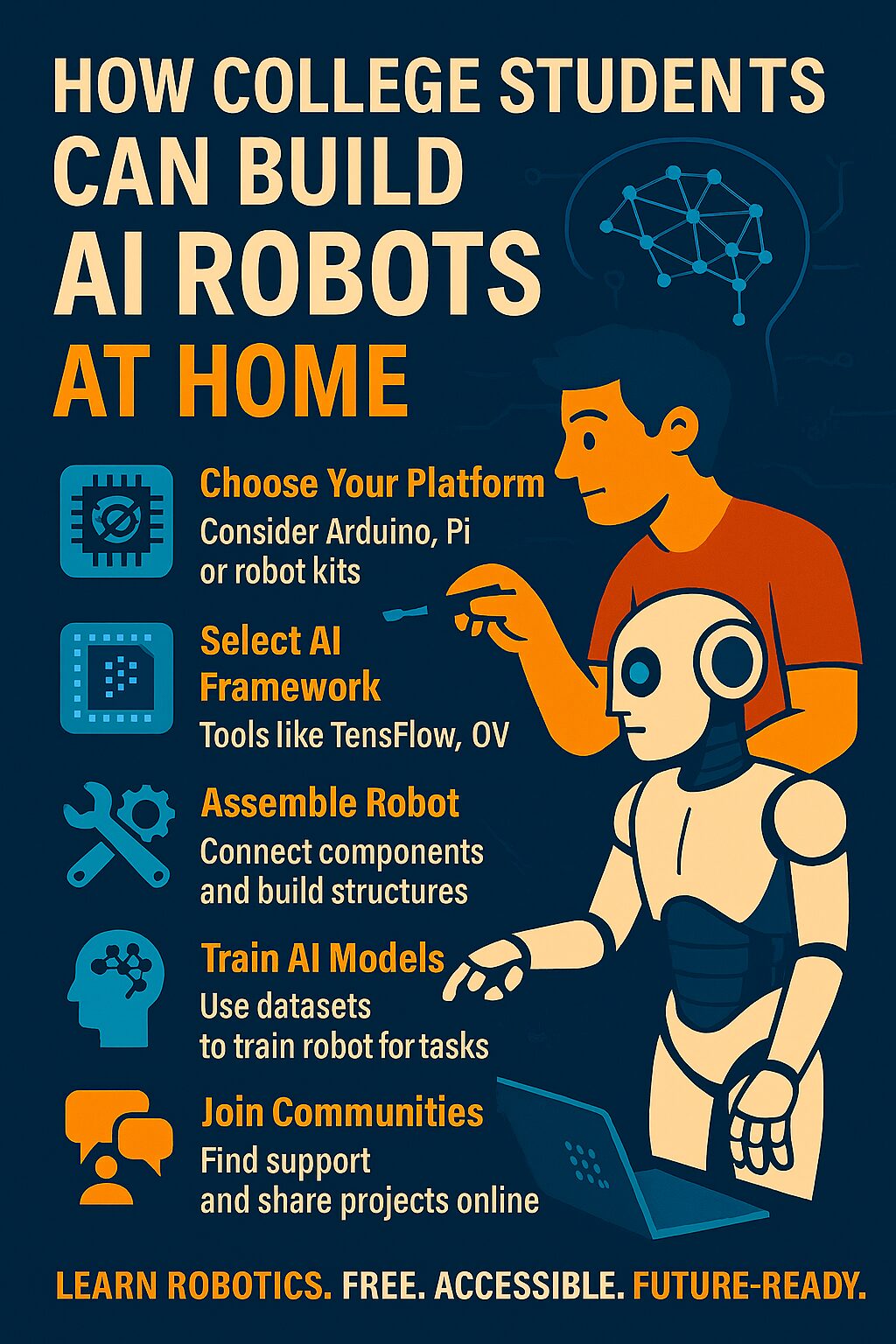
🛠 Step-by-Step Guide to Building AI Robots at Home
1. Choose Your Robotics Platform
Start with beginner-friendly hardware:
- Arduino – great for sensor-based robots
- Raspberry Pi – ideal for AI and camera integration
- Pupper Robot Kit – a quadruped robot used in Stanford’s CS 123 course
2. Select Your AI Framework
Use free tools to add intelligence:
- TensorFlow Lite – run AI models on edge devices
- OpenCV – for computer vision and image processing
- Dialogflow – for voice and chatbot integration
3. Assemble Your Robot
Follow tutorials or kit instructions to:
- Connect motors, sensors, and microcontrollers
- Install operating systems (e.g., Raspbian for Raspberry Pi)
- Test basic movement and obstacle avoidance
4. Train and Deploy AI Models
Use datasets to train your robot for tasks like:
- Object recognition
- Voice commands
- Autonomous navigation
You can deploy models using platforms like Google Colab or Edge Impulse.
5. Join Online Communities
Collaborate and troubleshoot with others:
- Reddit: r/robotics and r/raspberry_pi
- GitHub: explore open-source robot projects
- Discord and forums for Arduino, ROS, and AI tools
📚 Recommended Resources
- Stanford’s Pupper Project
- Robocraze DIY Robot Kits
- USC’s Accessible Robot Friend Kit
📊 Comparison Table: DIY AI Robot Platforms
| Platform | Cost Range | AI Capability | Ideal For | Community Support |
|---|---|---|---|---|
| Arduino | $20–$50 | Low | Sensor-based robots | High |
| Raspberry Pi | $35–$75 | Medium–High | Vision + AI projects | Very High |
| Pupper Kit | $100–$300 | High | Quadruped AI robots | Moderate |
Sources:
⚠️ Challenges and Tips
- Power management: Use portable batteries or power banks.
- Connectivity: Ensure Wi-Fi or Bluetooth modules are compatible.
- Budgeting: Start small and upgrade components gradually.
- Safety: Avoid high-voltage components and test in controlled environments.
✅ Final Thoughts
Building AI robots at home is not just possible—it’s empowering. With the right tools and mindset, college students can create intelligent machines that learn, adapt, and interact. Whether for a class project, startup idea, or personal passion, the future of robotics starts in your dorm room.